Know your kit is safe to use.

STANAGELOG is a private record of the outdoor gear you own. Log each item, keep a dated check, and see what is still safe to use.

Your own kit. Sign in with your stanage.org Google account.

On your desktop

Your kit, on a wide screen.

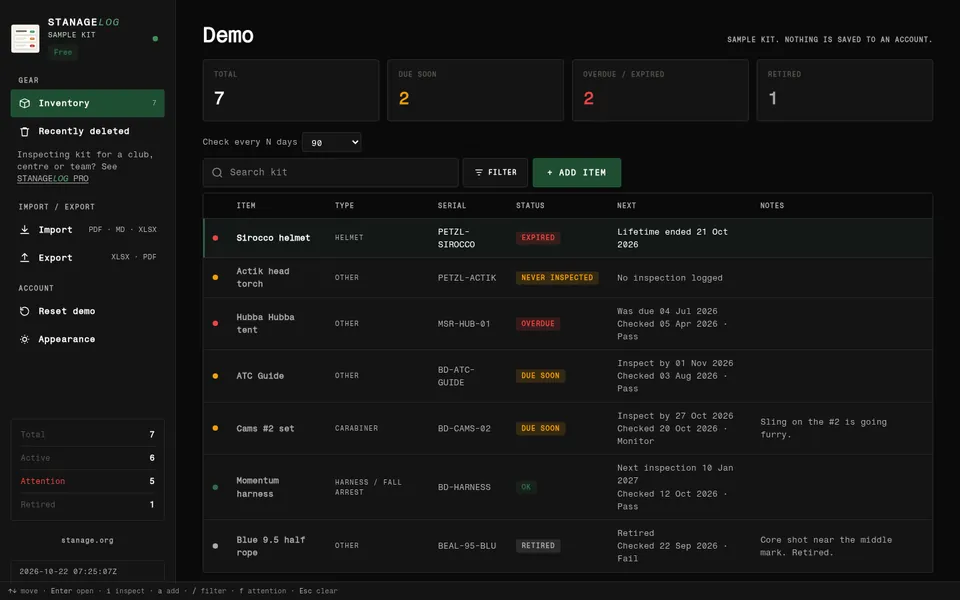
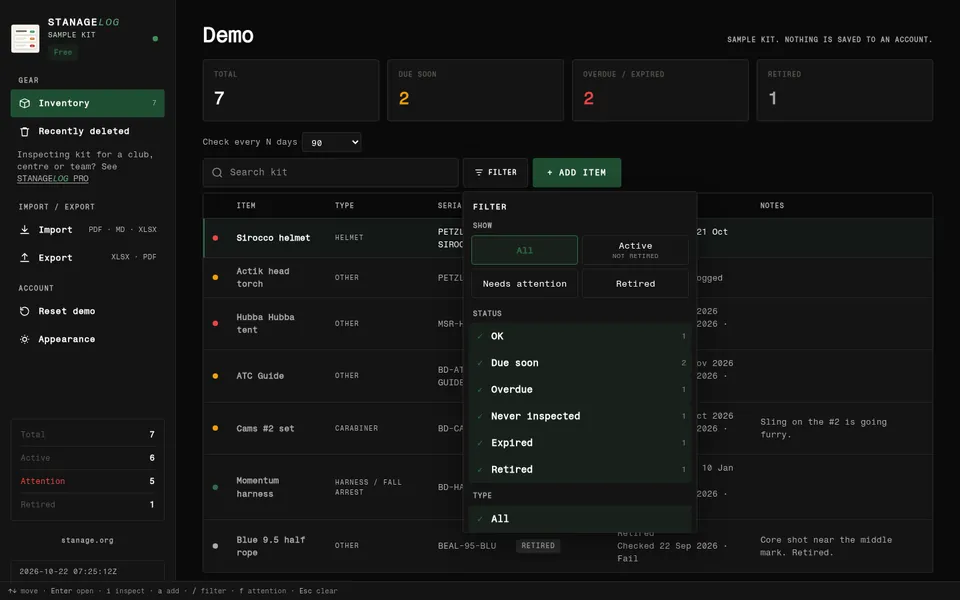
Search, filters and checks in a browser on a laptop or desktop, at log.stanage.org.
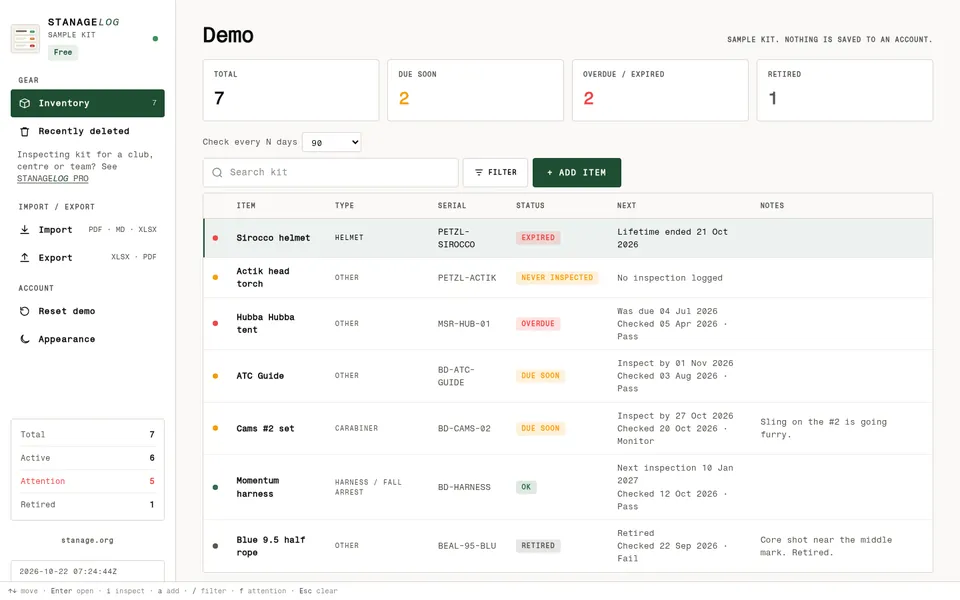
STANAGELOG in a desktop browser: the kit list with totals for due soon, overdue and retired, search, filter and a table of items with status pills.STANAGELOG in a desktop browser: the kit list with totals for due soon, overdue and retired, search, filter and a table of items with status pills.
Kit list. Everything you own, with what needs a look.
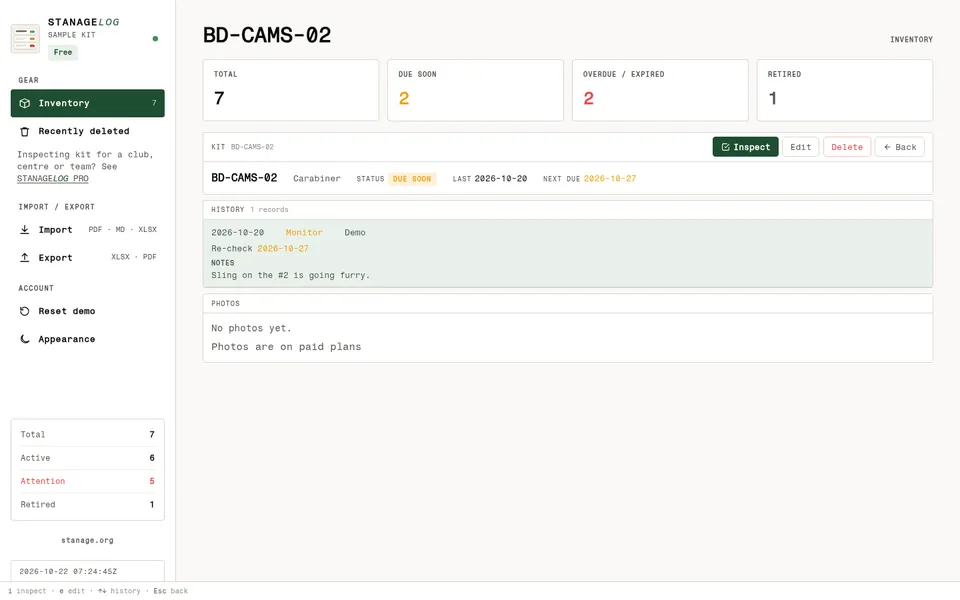
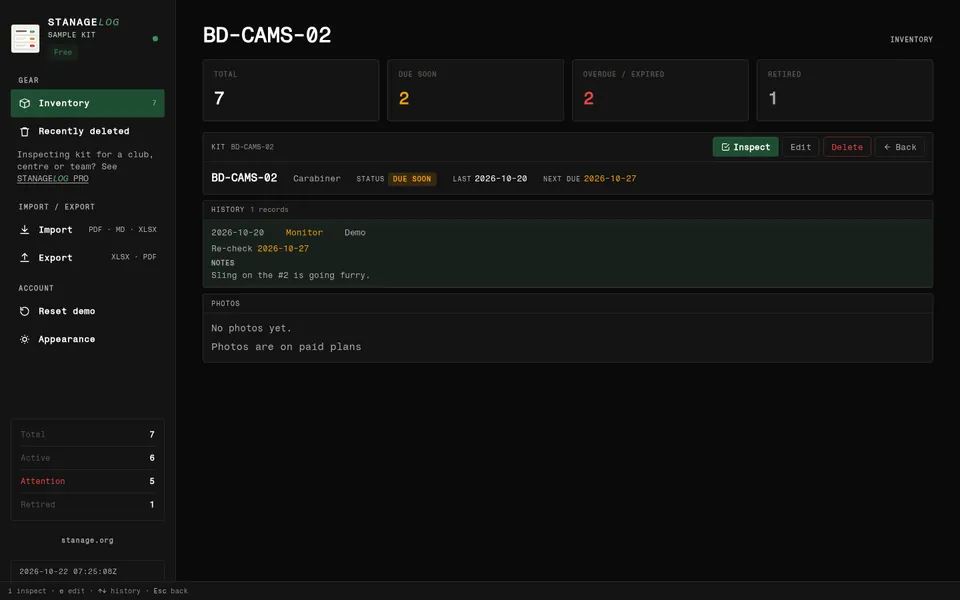
STANAGELOG item screen in a desktop browser for BD-CAMS-02: status due soon, the inspection history and notes side by side.STANAGELOG item screen in a desktop browser for BD-CAMS-02: status due soon, the inspection history and notes side by side.
Item and checks. History and notes on one screen.
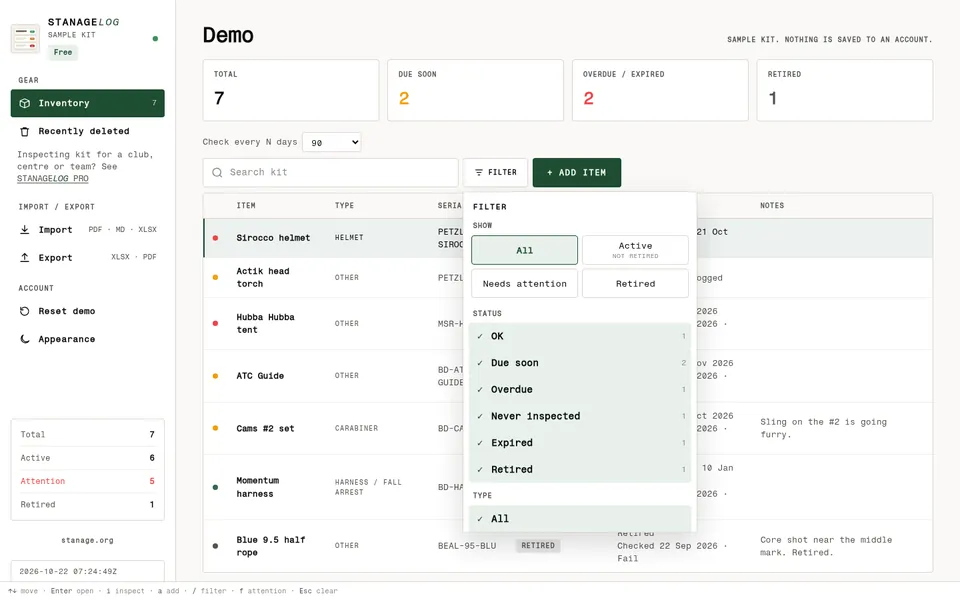
STANAGELOG kit list in a desktop browser with the filter menu open: show all, active, needs attention or retired, and status and type filters.STANAGELOG kit list in a desktop browser with the filter menu open: show all, active, needs attention or retired, and status and type filters.
Filters. Narrow the list by status or type.

ON YOUR IPHONE

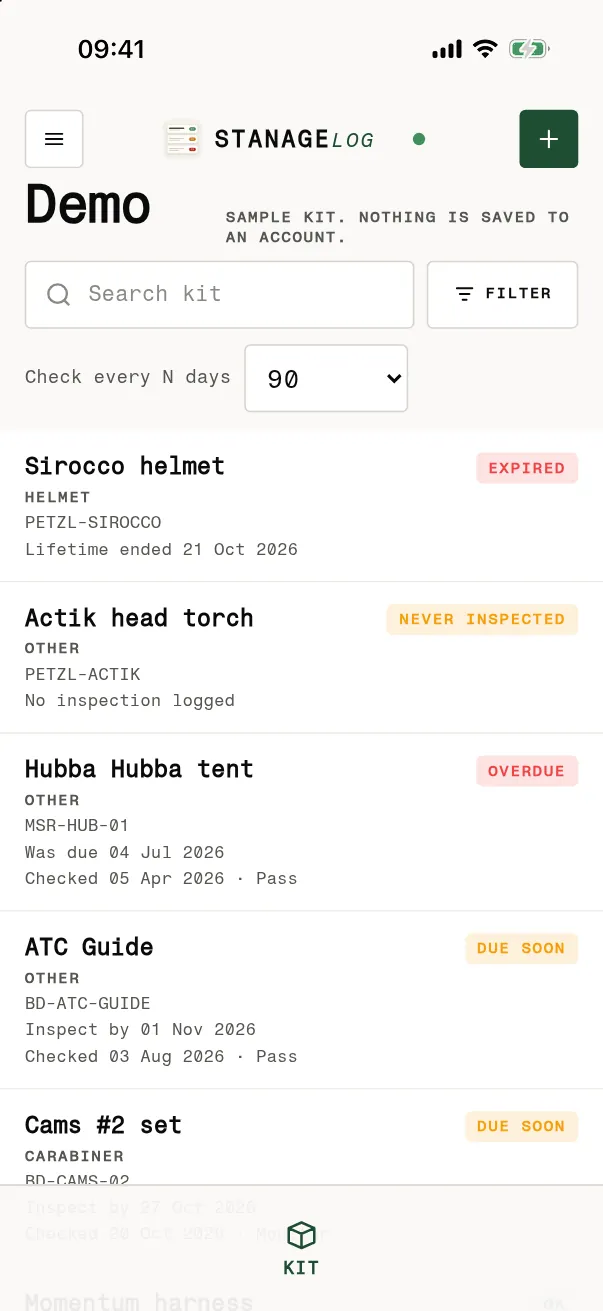
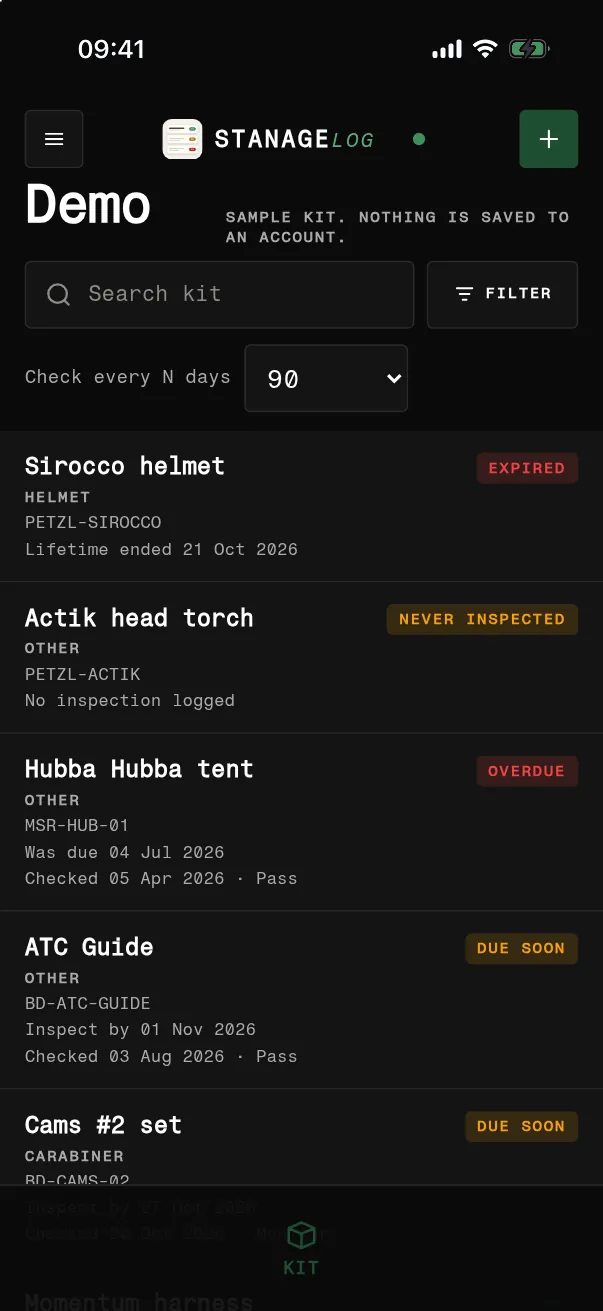
  1. The STANAGELOG kit list on an iPhone: Sirocco helmet expired, Actik head torch never inspected, Hubba Hubba tent overdue, ATC Guide and Cams #2 set due soon.The STANAGELOG kit list on an iPhone: Sirocco helmet expired, Actik head torch never inspected, Hubba Hubba tent overdue, ATC Guide and Cams #2 set due soon.
    Kit
    01

    Your whole kit in one list.

    Every item with a coloured status, so what needs a look stands out.
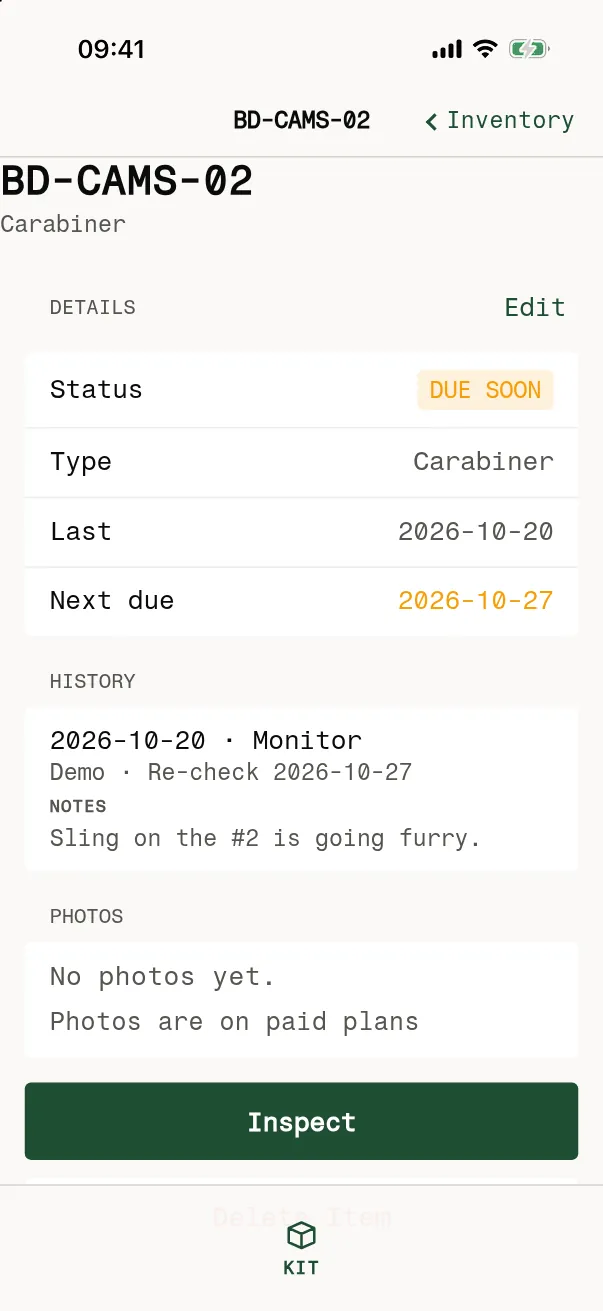
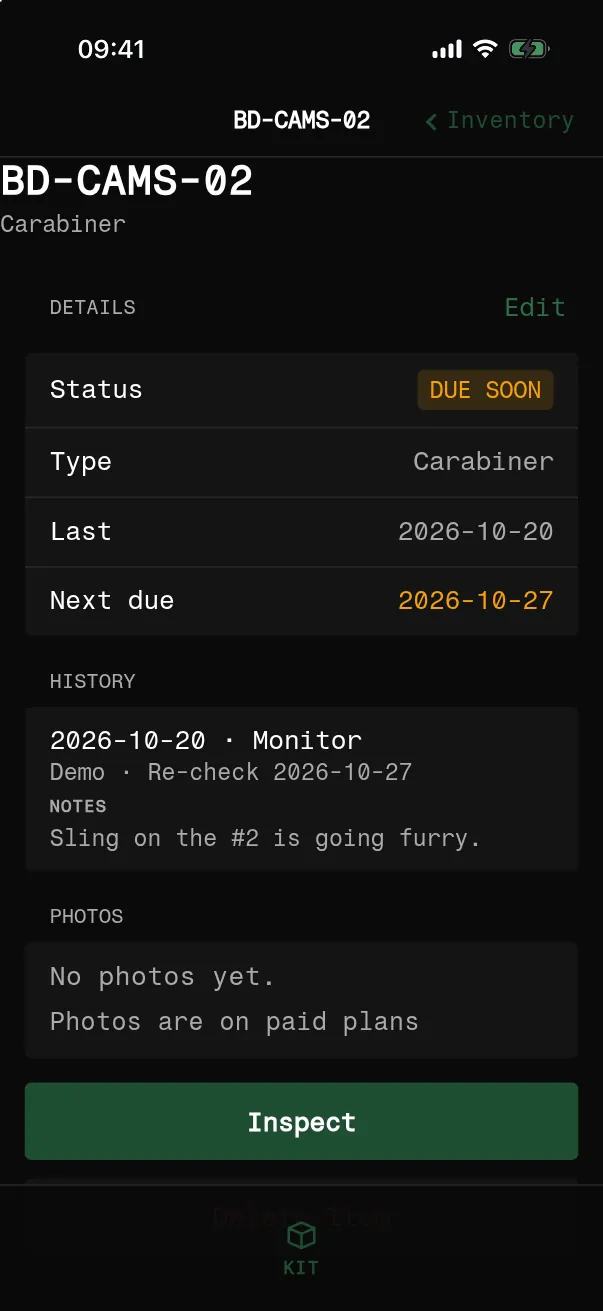
  2. Item screen for BD-CAMS-02 on an iPhone: due soon, last checked 2026-10-19, next due 2026-10-26, history entry Monitor, sling on the #2 is going furry.Item screen for BD-CAMS-02 on an iPhone: due soon, last checked 2026-10-19, next due 2026-10-26, history entry Monitor, sling on the #2 is going furry.
    Item
    02

    Every item keeps its history.

    Status, last check and next due date, then every check with notes.
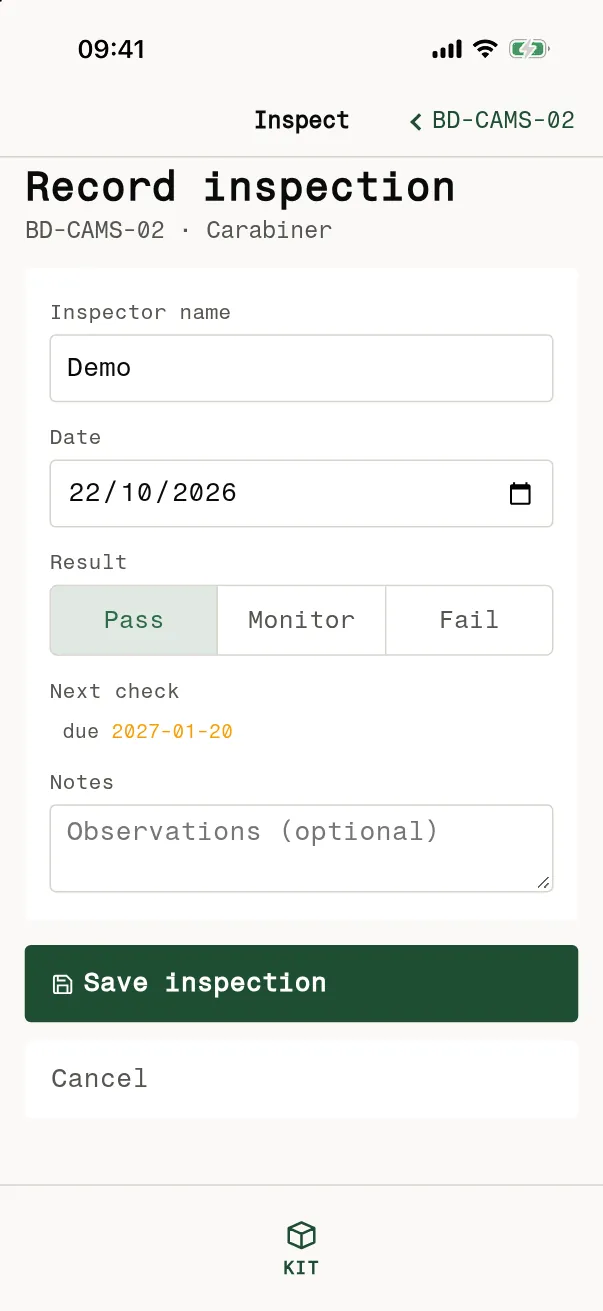
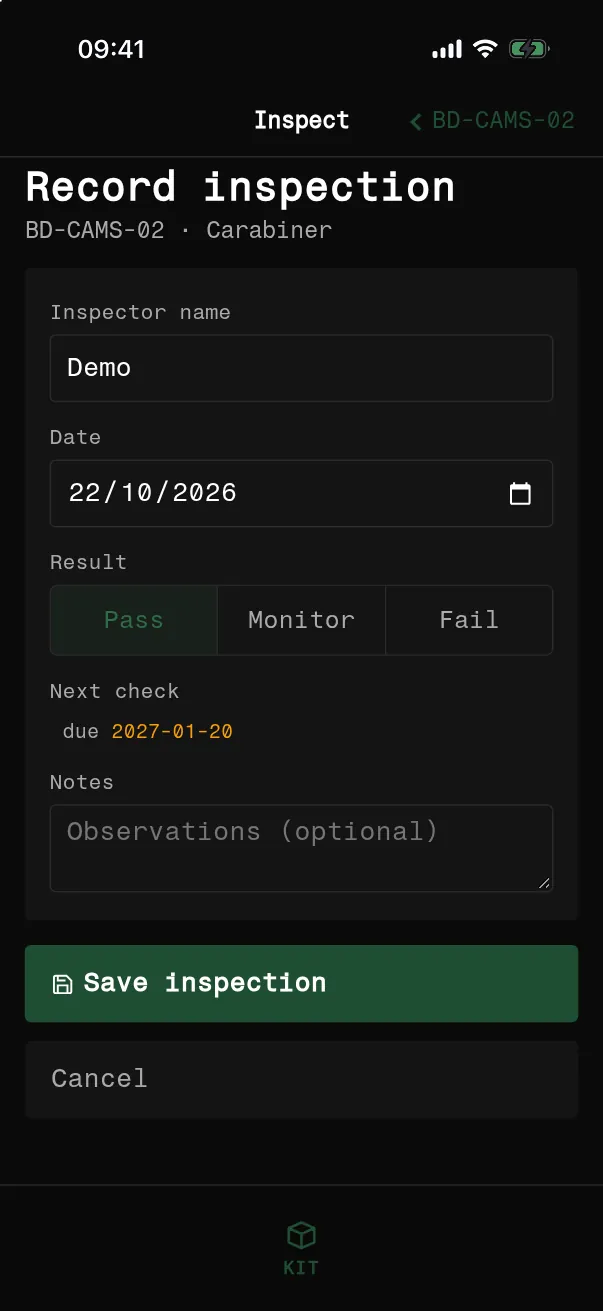
  3. Record inspection screen on an iPhone with inspector name, date, a Pass, Monitor or Fail choice, next check date and a notes field.Record inspection screen on an iPhone with inspector name, date, a Pass, Monitor or Fail choice, next check date and a notes field.
    Inspect
    03

    Pass, monitor or fail.

    Choose how it looked, add a note, and the next check date is set for you.
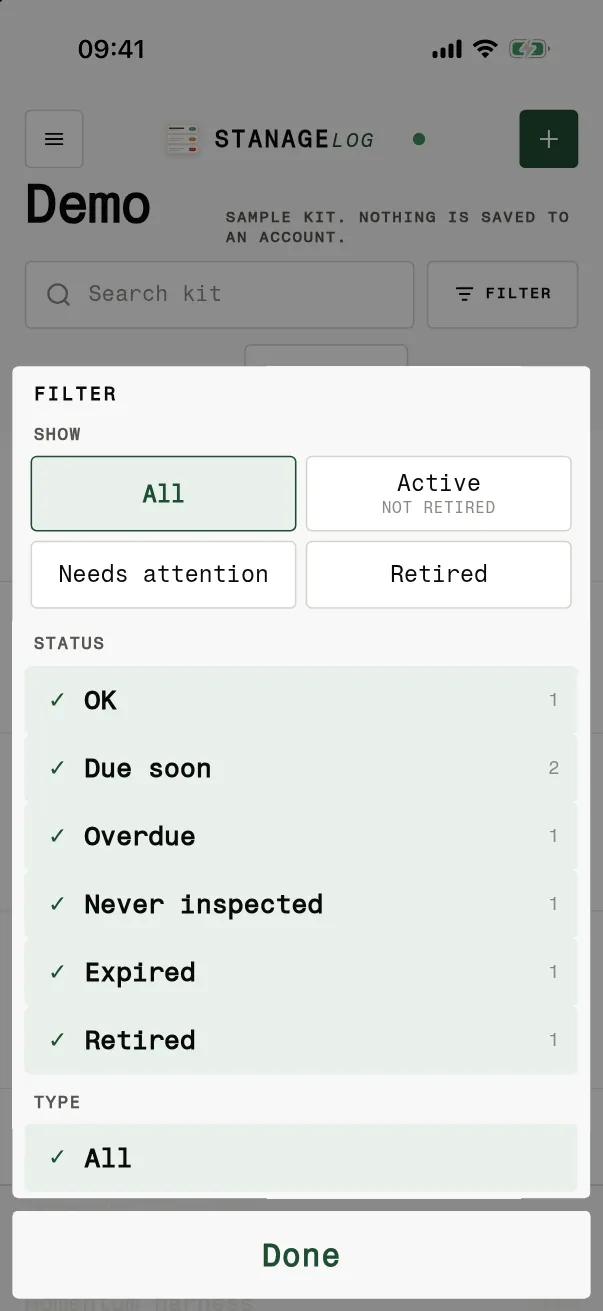
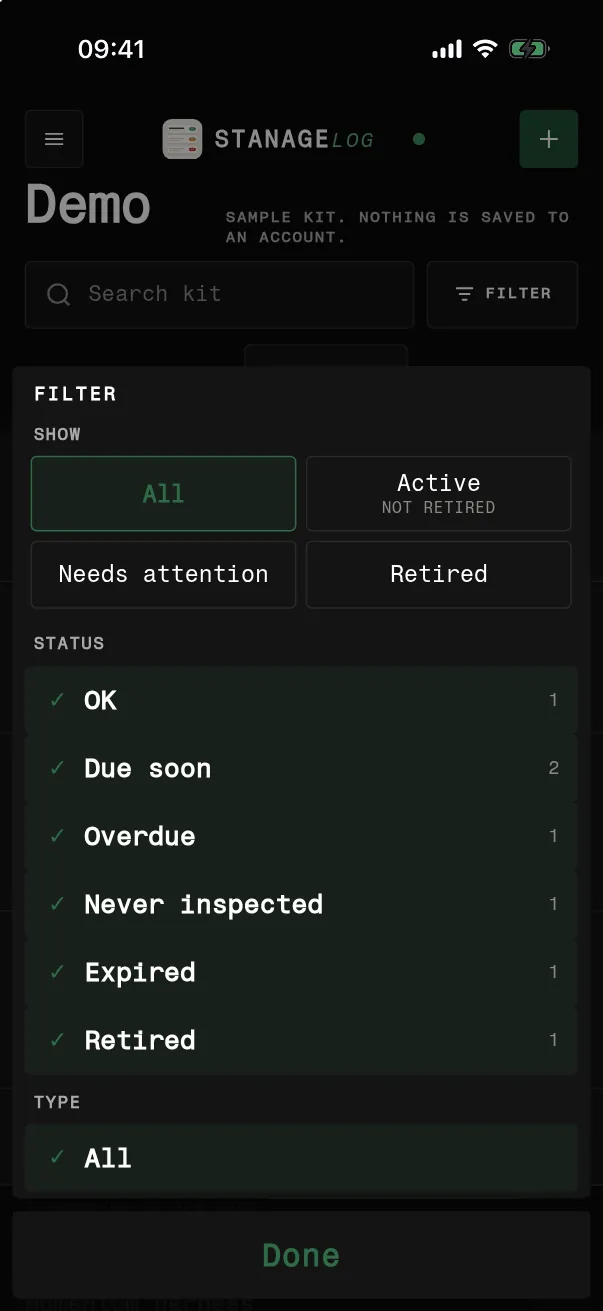
  4. Filter sheet on an iPhone with show all, active, needs attention or retired, and status filters OK, due soon, overdue, never inspected, expired and retired with counts.Filter sheet on an iPhone with show all, active, needs attention or retired, and status filters OK, due soon, overdue, never inspected, expired and retired with counts.
    Filter
    04

    See what is due.

    Filter by status or type to see only what is overdue or due soon.
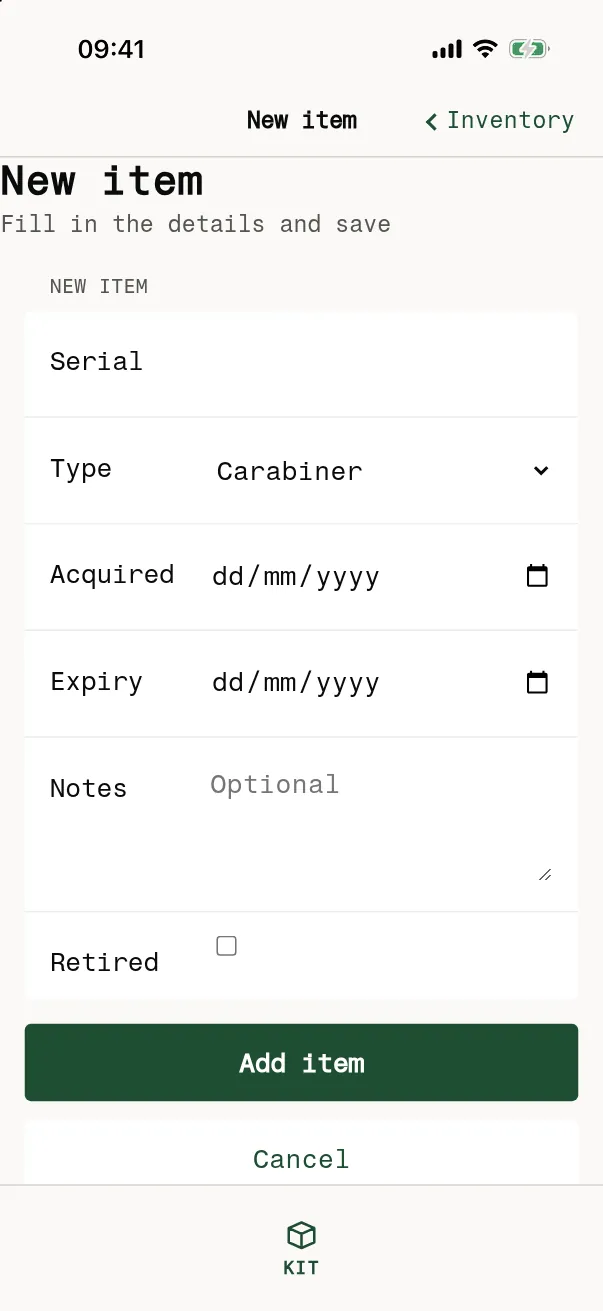
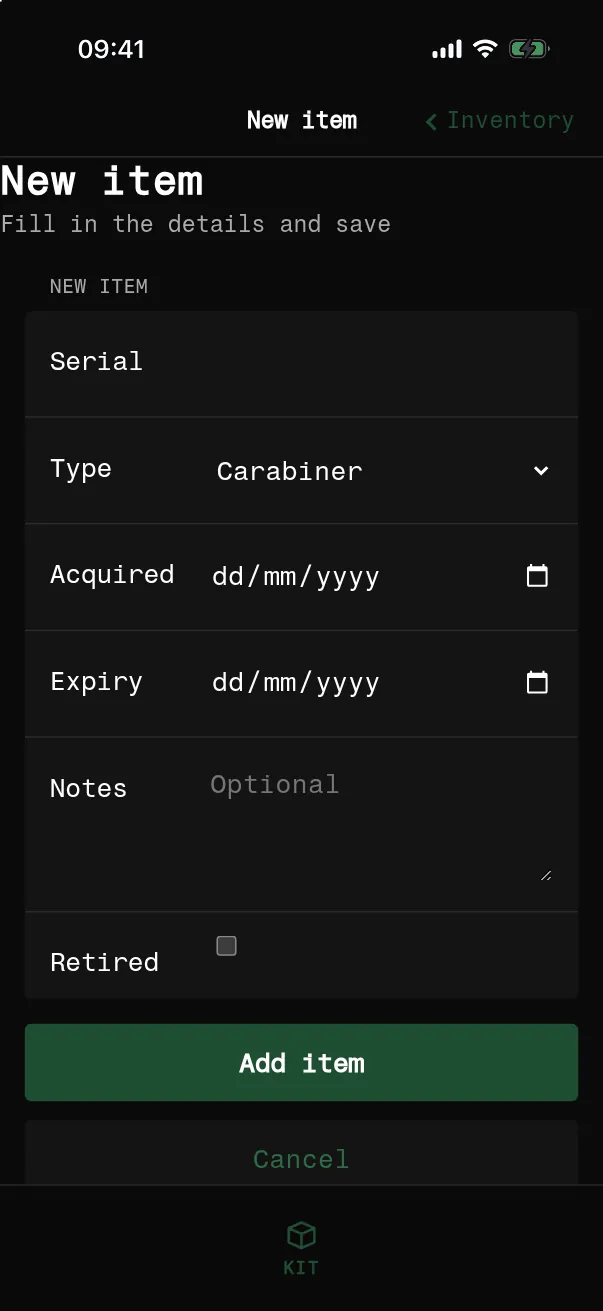
  5. New item form on an iPhone with serial, type, acquired and expiry dates, notes and a retired switch, and an Add item button.New item form on an iPhone with serial, type, acquired and expiry dates, notes and a retired switch, and an Add item button.
    Add
    05

    Add an item in seconds.

    Only the serial is needed. Add type, dates and notes if you like.

Free vs PRO

Your own kit. PRO for a club, centre or team.

Personal

Free

Simple and personal.

  • Your own kit
  • Reminders
Clubs · centres · teams

LOG PRO

Paid, for clubs, centres and teams.

PRO adds

  • Photos
  • Team sharing
  • Multiple inspectors
  • Inspector sign-off
  • PDF registers and exports

STANAGELOG is a private record of the gear you own and whether it’s still fit to use.

Questions

The details.

Does it work with no signal?

Search and filters work on the phone, so the list still opens with no signal. Changes sync when you are back online.

How do I sign in?

Sign in with your stanage.org Google account, in the iPhone app or in a browser on a laptop or desktop.

What do Pass, Monitor and Fail mean?

Pass is good to use. Monitor is usable, but keep an eye on it. Fail means do not use it. Pass uses your usual interval. Monitor asks when to look again.

What do I need to add an item?

Only the serial. Add a type, a name you will recognise, notes, and the dates you bought it and when it expires.

Can I scan a label?

Yes. Tap Scan on My kit and point the camera at the label, then log the check.

Will it remind me?

Turn on reminders and the app tells you in the morning when something becomes overdue.

What happens to retired kit?

Switch on Retired when something reaches the end of its life. It stays on the record, so you can still see why it went.

What is on the item screen?

Type, serial, location, folder and dates, with a pill for what is due and the last result, then every check with who did it, the date and any notes.